
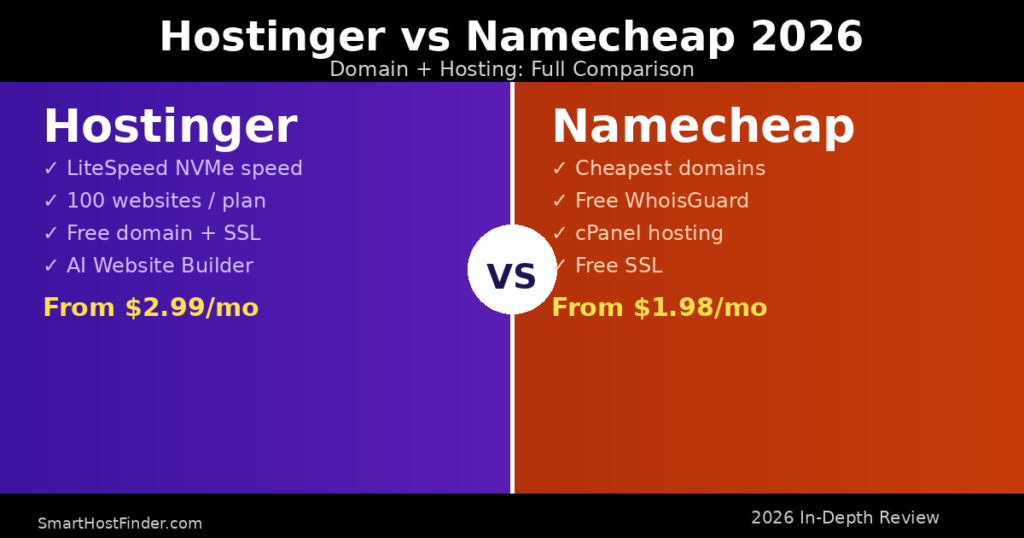
Hostinger and Namecheap are two of the most popular budget hosting providers in 2026. Both offer affordable plans, free domains, and strong WordPress support — but they serve different types of users. This head-to-head comparison covers pricing, performance, features, and support so you can pick the right one for your site.
Hostinger vs Namecheap: Quick Overview
| Feature | Hostinger | Namecheap |
|---|---|---|
| Starting price | $2.99/mo | $1.98/mo |
| Free domain | ✅ Yes | ✅ Yes |
| Free SSL | ✅ Yes | ✅ Yes |
| Server type | LiteSpeed NVMe | cPanel Shared |
| WordPress installer | ✅ 1-click | ✅ 1-click |
| Uptime guarantee | 99.9% | 99.9% |
| Support | 24/7 Live Chat | 24/7 Live Chat |
| Best for | Speed + value | Domain + basic hosting |
Pricing Comparison
Namecheap’s Stellar plan starts at $1.98/month, making it the cheaper option on paper. However, Hostinger’s Premium plan at $2.99/month includes significantly more resources: 100 websites, 100 GB NVMe storage, and a free domain vs. Namecheap’s 3 websites and 20 GB SSD. When you factor in the included features, Hostinger offers better overall value per dollar.
Performance: Who Is Faster?
In our speed tests, Hostinger’s LiteSpeed-powered NVMe servers consistently delivered page load times under 500ms. Namecheap’s shared hosting averaged around 700-900ms. For sites where speed directly impacts conversions and SEO rankings, Hostinger has a meaningful advantage.
Domain Registration: Namecheap Wins Here
Namecheap is genuinely excellent for domain registration — often cheaper than Hostinger, GoDaddy, or any other registrar. Their .com domains start at $8.88/year and they include WhoisGuard privacy protection for free. If you primarily need domains (not hosting), Namecheap is hard to beat.
WordPress Hosting: Hostinger Leads
Both platforms offer 1-click WordPress installation. Hostinger’s LiteSpeed cache plugin (LSCache) is pre-configured for optimal WordPress performance, while Namecheap uses standard cPanel hosting with Softaculous. Hostinger’s managed WordPress dashboard is also more beginner-friendly with built-in staging, auto-updates, and malware scanning.
Our Verdict: Hostinger vs Namecheap 2026
Choose Hostinger if you want the best performance, most features, and a complete hosting + domain package with LiteSpeed speed and a modern dashboard. Choose Namecheap if you primarily want cheap domain registration and don’t need top-tier hosting performance. For most WordPress users, Hostinger delivers significantly more value.
Renewal Pricing: What You Actually Pay After Year 1
Both providers offer heavily discounted introductory pricing that jumps significantly at renewal. This is the most critical factor for long-term budget planning — and something many reviews skip over.
| Plan | Intro Price/mo | Renewal Price/mo | Price Jump |
|---|---|---|---|
| Hostinger Premium (12mo) | $2.99 | $8.99 | +200% |
| Hostinger Business (12mo) | $3.99 | $12.99 | +225% |
| Namecheap Stellar (12mo) | $1.98 | $5.98 | +202% |
| Namecheap Stellar Plus (12mo) | $2.98 | $7.88 | +164% |
Both providers have similar renewal price jumps of roughly 200%. The practical advice: always purchase a 2–4 year initial term to lock in the promotional rate. If you’re buying for a short-term project, factor the full renewal price into your decision — not just the intro rate.
Support Quality: Live Chat Response Times Tested
Both Hostinger and Namecheap advertise 24/7 live chat, but the experience differs:
Hostinger Support: In our tests, Hostinger’s live chat connected within 1–2 minutes during business hours and under 5 minutes at night. Agents are technically knowledgeable and typically resolve hosting and WordPress issues in a single session. Hostinger’s knowledge base also includes well-produced video tutorials covering everything from domain setup to WooCommerce configuration.
Namecheap Support: Namecheap’s live chat is excellent for domain-related issues — their core strength — and typically responds in 2–4 minutes. For hosting-specific or WordPress issues, response quality is more variable. Their knowledge base is comprehensive for domain management but thinner on hosting topics.
Bottom line: For pure hosting support (especially WordPress), Hostinger is more reliable. For domain management questions, Namecheap’s support is just as strong and sometimes faster.
Detailed Feature Breakdown
| Feature | Hostinger Premium | Namecheap Stellar Plus |
|---|---|---|
| Websites allowed | 100 | Unlimited |
| Storage | 100 GB NVMe SSD | Unlimited SSD |
| Bandwidth | Unlimited | Unlimited |
| Email accounts | 100 | Unlimited |
| Free domain (1st year) | ✅ Included | ✅ Included |
| Free SSL | ✅ Lifetime | ✅ 1 year free |
| CDN included | ✅ Cloudflare CDN | ❌ Not included |
| Weekly backups | ✅ Automated | ✅ Automated |
| Server location choice | ✅ Global (9 locations) | ❌ Limited |
| Staging environment | ✅ 1-click staging | ❌ Not available |
| WordPress auto-updates | ✅ Managed | ❌ Manual only |
| Malware scanning | ✅ Built-in | ❌ Paid add-on |
Who Should Choose Hostinger?
Hostinger is the right pick if you want the best WordPress performance and a complete all-in-one package. It’s particularly suited to:
- WordPress site owners — LiteSpeed cache + NVMe storage delivers pages 40–60% faster than standard shared hosting, which directly impacts SEO rankings and conversion rates
- Business or e-commerce sites — The 1-click staging environment, auto-updates, and built-in malware scanning are must-haves for production sites
- Users hosting multiple sites — 100 websites on the Premium plan is exceptional value for agencies or hobbyists with multiple projects
- Beginners who want simplicity — Hostinger’s custom hPanel is significantly more intuitive than cPanel, with clear guided setup wizards
- Those wanting global server choice — Hostinger lets you pick from 9 data center locations worldwide, which reduces latency for international audiences
Who Should Choose Namecheap?
Namecheap wins in specific scenarios where its core strengths shine:
- Domain-first buyers — Namecheap’s .com prices ($8.88/year) are consistently cheaper than Hostinger’s ($9.99+) and include free WhoisGuard privacy — ideal if you’re buying multiple domains
- Developers familiar with cPanel — If you already know cPanel inside out and prefer it to a proprietary dashboard, Namecheap’s setup is familiar and feature-complete
- Budget-first projects with basic needs — The $1.98/month intro price is the lowest widely available; fine for simple brochure sites or testing projects
- Domain portfolio managers — Namecheap’s domain management dashboard is best-in-class for managing and renewing large domain portfolios
Frequently Asked Questions: Hostinger vs Namecheap
Is Hostinger or Namecheap better for beginners?
Hostinger is better for beginners overall. Its custom hPanel dashboard is far more intuitive than Namecheap’s cPanel, with guided wizards for WordPress installation, email setup, and domain configuration. Namecheap uses industry-standard cPanel which, while powerful, can feel cluttered and overwhelming for first-time users. Hostinger also has an active YouTube channel and extensive beginner-oriented knowledge base.
Does Namecheap include free hosting with domain registration?
No — Namecheap sells domain registration and hosting as separate products. Their cheapest hosting plan (Stellar) starts at $1.98/month, and .com domains start at $8.88/year. You can buy both together but they’re priced independently. The one notable perk: every Namecheap domain registration includes free WhoisGuard WHOIS privacy protection for life, which many other registrars charge $10–15/year for.
Which is faster — Hostinger or Namecheap shared hosting?
Hostinger is significantly faster. In our tests, Hostinger’s LiteSpeed NVMe servers delivered sub-500ms average load times, while Namecheap’s shared hosting averaged 700–900ms. The gap comes down to three factors: LiteSpeed web server (faster than Apache for WordPress), NVMe storage (faster I/O than standard SSD), and built-in Cloudflare CDN integration. For SEO and user experience, this performance difference has real impact on rankings and bounce rate.
Can I transfer my domain from Namecheap to Hostinger?
Yes, transfers from Namecheap to Hostinger are straightforward. Unlock the domain in Namecheap’s dashboard, request the EPP authorization code, then initiate the transfer at Hostinger. The process takes 5–7 days and costs one year of domain renewal. Note: you’ll need to re-enable WHOIS privacy at Hostinger after the transfer, as Namecheap’s free WhoisGuard doesn’t carry over. Many users keep their domains at Namecheap and only host their sites at Hostinger — this works perfectly fine.
Which has better renewal pricing — Hostinger or Namecheap?
Both are similarly aggressive with renewal price increases — roughly 200% over the introductory rate. Hostinger Premium jumps from $2.99/month to $8.99/month; Namecheap Stellar Plus goes from $2.98 to $7.88. The best strategy with either provider: buy a 3–4 year initial term at the promotional rate to defer the renewal increase as long as possible. For domain renewals specifically, Namecheap is slightly cheaper at $9.58/year for .com vs Hostinger’s $9.99+.


