
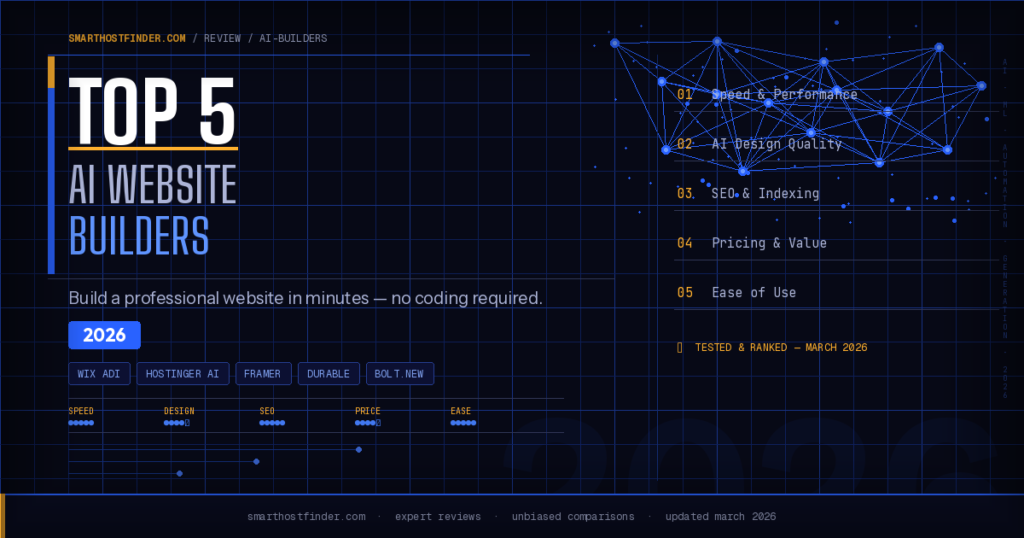
AI website builders have transformed how people launch websites in 2026. You can describe your business, answer a few questions, and have a professionally designed, copy-written, SEO-optimised website live in under 10 minutes – no coding skills, no design experience, and no expensive agency required. But not all AI builders are created equal. This guide ranks the top 5 AI website builders based on hands-on testing, covering speed, design quality, SEO features, pricing, and ease of use.
What is an AI Website Builder?
An AI website builder uses artificial intelligence to automate the design and content creation process. Instead of starting from a blank template and manually placing every element, you answer a short questionnaire about your business – your industry, goals, target audience, and style preferences – and the AI generates a complete, personalised website in seconds.
Modern AI builders handle layout design, colour schemes, typography, images, and page copy. The best ones also generate SEO metadata automatically, suggest improvements over time, and integrate with tools like Google Analytics, email marketing platforms, and eCommerce systems. For a deeper look at how your hosting environment affects site performance, see our guide on best WordPress hosting in 2026.
Why Use an AI Website Builder in 2026?
The case for AI builders has never been stronger. Here is why thousands of small businesses, freelancers, and entrepreneurs are switching to AI-powered tools:
- Speed: A full website in under 10 minutes vs. days or weeks with traditional methods.
- Cost savings: No need to hire a designer or developer for a basic site.
- Built-in SEO: Most AI builders generate proper heading structures, meta tags, and clean HTML automatically.
- No technical skill required: If you can answer questions about your business, you can build a website.
- Iteration is easy: Change your design style, copy, or layout with simple prompts rather than rebuilding from scratch.
Top 5 AI Website Builders in 2026 – Quick Comparison
| Builder | Best For | Starting Price | Free Plan | eCommerce |
|---|---|---|---|---|
| Hostinger AI | Beginners & small business | $2.99/mo | No | Yes |
| Wix ADI | All-round versatility | $17/mo | Yes (limited) | Yes |
| Framer AI | Designers & agencies | Free (custom domain $5/mo) | Yes | No |
| Durable | Local business sites | $12/mo | No (trial only) | No |
| Bolt.new | Developers & vibe coders | Free (usage-based) | Yes | No |
1. Hostinger AI Website Builder – Best for Beginners
Hostinger’s AI Website Builder is our top pick for most users in 2026. It combines affordable shared hosting with a built-in AI builder, meaning your site is designed and hosted in one seamless workflow. You answer a short questionnaire, and the AI generates a multi-page website with original copy, images, and a colour scheme matched to your brand.
What sets Hostinger apart is the value. Plans start at $2.99 per month and include hosting, a free domain, SSL, and the AI builder all in one. There are no hidden add-ons. The builder also includes an AI heatmap tool, which analyses where users are likely to focus on the page, helping you optimise your layout for conversions before you even launch.
| Feature | Detail |
|---|---|
| Starting price | $2.99/mo (includes hosting + domain) |
| AI content generation | Yes – multi-page with copy and images |
| eCommerce | Yes – online store included on higher plans |
| SEO tools | Built-in meta generator, sitemap, image alt text |
| Best for | Beginners, small business, bloggers |
Pros: Unbeatable price-to-feature ratio, hosting and builder in one subscription, AI heatmap, multilingual support, 24/7 live chat support.
Cons: Less design flexibility than Framer, renewal prices increase after the first term, eCommerce limited to higher-tier plans.
If you want the most affordable way to get a professional website live fast, Hostinger is the clear winner. Read our full Hostinger review for a complete breakdown.
2. Wix ADI – Best All-Round AI Builder
Wix has been in the website builder space for over a decade, and its AI Design Intelligence (ADI) feature is one of the most mature AI builders available. Wix ADI asks you about your business, pulls in content from your existing social profiles or Google Business listing if you have them, and generates a personalised site with multiple page layouts to choose from.
Beyond the initial build, Wix offers the largest app marketplace of any builder on this list – over 500 third-party integrations including booking systems, live chat, email marketing, and membership tools. The new Wix AI text and image tools also let you regenerate any section of your site with a single prompt, making it easy to iterate after launch.
| Feature | Detail |
|---|---|
| Starting price | $17/mo (Light plan) |
| AI content generation | Yes – pulls from social/Google data too |
| App marketplace | 500+ integrations |
| eCommerce | Yes – full store on Business plans |
| Best for | Versatility, growing businesses, bookings |
Pros: Most versatile platform, largest app ecosystem, strong eCommerce, AI text and image regeneration, reliable hosting infrastructure.
Cons: More expensive than Hostinger, free plan shows Wix branding, can feel overwhelming with so many options, no option to export your site.
3. Framer AI – Best for Designers and Agencies
Framer has rapidly become the go-to AI website builder for designers, agencies, and anyone who cares deeply about visual quality. You describe your site in plain English – “a dark, minimal portfolio for a product designer” – and Framer generates a visually striking result with real React code behind it. Every element is fully customisable through a professional design interface.
What makes Framer unique is that the output is exportable code. If you want to take your Framer site and host it elsewhere, or hand it to a developer to extend, you can export the underlying React components. It also includes a full CMS for blog posts and dynamic content pages, plus a free tier for personal projects.
| Feature | Detail |
|---|---|
| Starting price | Free (custom domain from $5/mo) |
| AI content generation | Yes – from text prompts |
| Design control | High – full design system access |
| Code export | Yes – React components |
| Best for | Designers, agencies, portfolios |
Pros: Best design quality output of any AI builder, generates real React code, free tier available, CMS for blog and dynamic content, strong developer community.
Cons: Steeper learning curve for non-designers, not suited for eCommerce, hosting costs are separate on some plans.
4. Durable – Best for Local Business Sites
Durable markets itself as the world’s fastest website builder – and delivers on that claim. Enter your business type and location, and Durable generates a complete, professional local business website in under 30 seconds. It includes an integrated CRM, invoicing tools, and AI-generated copy that accurately references your business type and location.
In 2026, Durable has added AI-powered marketing tools including social post generation, email campaign creation, and a Google Ads integration. For a local plumber, restaurant, salon, or tradesperson who needs a simple, credible web presence fast, Durable is hard to beat.
| Feature | Detail |
|---|---|
| Starting price | $12/mo (after free trial) |
| Build time | Under 30 seconds |
| CRM included | Yes |
| AI marketing tools | Social posts, email campaigns, Google Ads |
| Best for | Local businesses, tradespeople, service businesses |
Pros: Fastest build time of any tool tested, built-in CRM and invoicing, AI marketing suite, local SEO optimisation baked in.
Cons: Limited design customisation, not suited for eCommerce or content-heavy sites, no free plan (trial only).
5. Bolt.new – Best for Developers and Vibe Coders
Bolt.new is a different kind of AI builder – it is built for people who are comfortable with code, or who want to generate functional web applications rather than traditional brochure websites. You describe what you want to build in plain language – “a SaaS landing page with a pricing table and email signup form” – and Bolt generates the full HTML, CSS, and JavaScript, which you can deploy instantly or download.
In the vibe coding movement, Bolt.new has become the preferred tool for non-developers who want to create custom web apps without writing a single line of code manually. It supports React, Next.js, and plain HTML output, making it suitable for everything from landing pages to simple SaaS tools.
| Feature | Detail |
|---|---|
| Starting price | Free (token-based usage) |
| Output type | Full code – HTML, CSS, JS, React, Next.js |
| Deployment | Instant via Netlify or self-host |
| eCommerce | Possible with custom code |
| Best for | Developers, vibe coders, custom web apps |
Pros: Maximum flexibility and code ownership, supports modern frameworks, free tier available, ideal for custom projects, active community.
Cons: Less beginner-friendly than Hostinger or Wix, no built-in hosting (requires deployment step), token usage can add up on larger projects.
How to Choose the Right AI Website Builder
With five strong options, choosing comes down to your specific situation. Here is a simple framework:
| Your situation | Best choice |
|---|---|
| You want the most affordable all-in-one option | Hostinger AI Builder |
| You need maximum features and integrations | Wix ADI |
| You care most about design quality | Framer AI |
| You run a local service business | Durable |
| You want to generate and own the code | Bolt.new |
Do AI Website Builders Rank Well on Google?
This is one of the most common questions we receive, and the honest answer is: it depends on the content, not the builder. All five platforms on this list generate clean HTML, proper heading structure, and meta tags automatically. Hostinger’s AI Builder generates SEO metadata as part of the initial build. Framer outputs semantic HTML that search engines index easily.
The real SEO consideration is content quality. AI-generated copy is a starting point, not a finished product. Google’s helpful content guidelines reward content written with genuine expertise and original insights. Edit the AI-generated copy, add your own knowledge, and personalise it before publishing. For more on the hosting side of SEO, see our guide on what to look for in web hosting.
AI Website Builders vs Traditional Website Builders
Traditional website builders – Squarespace without AI, WordPress with a theme, or older Wix without ADI – require you to start from a template and manually fill in every element. AI builders flip this workflow: you get a complete first draft instantly and then refine it. For most users without design training, the AI approach produces better results faster.
That said, traditional builders still win in some scenarios. WordPress, for example, offers unmatched flexibility for complex sites with thousands of pages, custom plugins, and deep SEO control via tools like Yoast. If you are wondering whether WordPress hosting is right for your project, our WordPress hosting vs shared hosting comparison is a good starting point.
Frequently Asked Questions
Are AI website builders free?
Framer and Bolt.new offer genuine free tiers. Wix has a free plan but it shows Wix branding and lacks a custom domain. Hostinger and Durable do not offer free plans, but Hostinger’s paid plans start from $2.99 per month – among the cheapest in the market when you factor in that hosting is included.
Can I use my own domain name with an AI website builder?
Yes – all five builders on this list support custom domains. Hostinger includes a free domain with most paid plans. Framer and Wix let you connect an existing domain or purchase one through them. Bolt.new requires you to deploy to a hosting platform like Netlify, where you can then attach your domain.
How long does it take to build a website with AI?
Durable generates a basic site in under 30 seconds. Hostinger and Wix ADI typically take 2-5 minutes to generate a full multi-page site. Framer and Bolt.new take longer because the tools offer more customisation options and the generation process is more detailed. Realistically, you should plan for 30-60 minutes total to build, review, and edit the AI output before publishing.
Do I need a hosting plan separately?
Not with Hostinger, Wix, or Durable – hosting is included in the subscription. With Framer, hosting is included on paid plans but separate on the free tier. Bolt.new requires a separate deployment step to a platform like Netlify, Vercel, or your own server. If you want full control over your hosting environment, see our best web hosting providers comparison.
Which AI website builder is best for eCommerce?
Wix offers the most complete eCommerce feature set, including inventory management, abandoned cart recovery, and multichannel selling. Hostinger includes a capable online store on its Business and Cloud plans. Framer, Durable, and Bolt.new are not designed for eCommerce and are better suited to service, portfolio, or content sites.
Will Google penalise AI-generated website content?
Google has stated it rewards high-quality, helpful content regardless of how it was produced. The risk is not AI generation itself – it is thin, generic, unedited content that provides no real value. Use AI-generated copy as a first draft, then add your expertise, real examples, and original insights before publishing. Sites that do this consistently rank well.
Final Verdict: Best AI Website Builder in 2026
For most people reading this, Hostinger AI Builder is the best choice. It offers the lowest price point, includes hosting and a domain, and produces professional results with minimal effort. If you are a designer or agency who needs maximum creative control, Framer is worth the learning curve. Local businesses will get the most value from Durable, and developers who want to own their code should explore Bolt.new.
AI website builders have genuinely levelled the playing field. A freelancer with no technical skills can now launch a site that looks indistinguishable from one built by a professional agency – and do it in an afternoon. The tools on this list represent the best of what is available in 2026.
For more guidance on choosing the right hosting foundation for your AI-built site, see our best hosting for AI-built websites guide, or compare options in our cheap web hosting roundup.

