
Shared hosting, VPS, and cloud hosting all have different price points — but which is actually cheapest for your situation? In 2026, the lines have blurred significantly as budget VPS prices have dropped and cloud platforms have introduced micro-instance tiers. This guide breaks down the real cost differences, what you get for your money, and which type to choose based on your site’s needs.
Shared vs VPS vs Cloud: What’s the Difference?
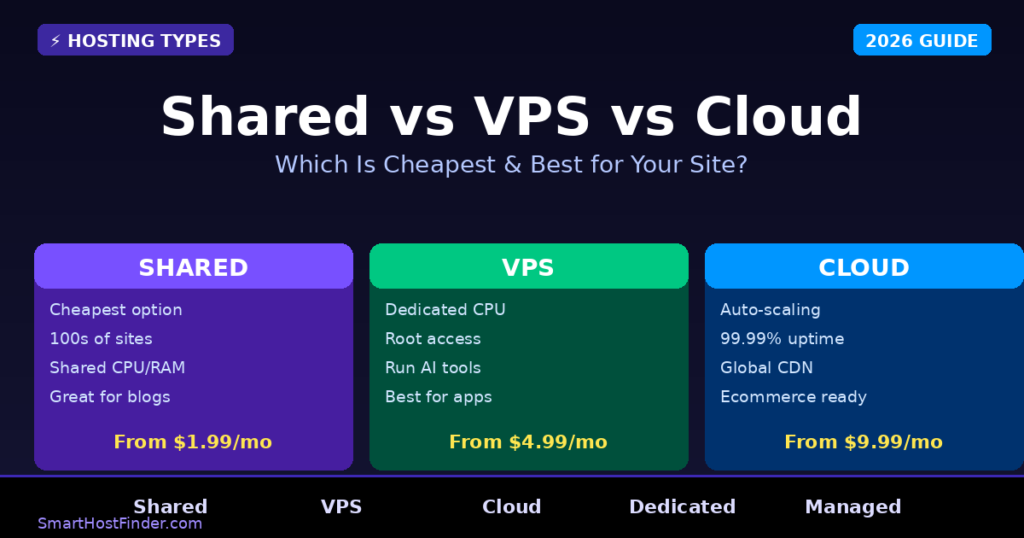
Shared hosting puts your website on a server alongside hundreds of other websites, sharing CPU, RAM, and disk I/O. It’s the cheapest option but comes with performance variability. VPS (Virtual Private Server) gives you a dedicated slice of a physical server with guaranteed resources. Cloud hosting spreads your site across multiple servers for maximum reliability and auto-scaling.
| Type | Starting Price | Resources | Scalability | Best For |
|---|---|---|---|---|
| Shared | $0.99–$3/mo | Shared | Limited | Blogs, small sites |
| VPS | $4–$12/mo | Dedicated | Manual upgrade | Apps, APIs, AI tools |
| Cloud | $6–$20/mo | Auto-scale | Automatic | High-traffic sites |
Shared Hosting: Best Budget Options 2026
For simple WordPress blogs and small business sites under 10,000 monthly visitors, shared hosting is genuinely sufficient and incredibly affordable. Hostinger’s Premium Shared plan at $2.99/month includes 100 websites, 100 GB NVMe storage, and LiteSpeed servers — making it by far the best value shared hosting in 2026.
VPS Hosting: Best Budget Options 2026
VPS hosting has gotten remarkably affordable. Hostinger’s KVM VPS starts at $4.99/month for 4 GB RAM and 2 vCPUs — enough for most WordPress sites, Node.js apps, or Python backends. Vultr and DigitalOcean offer $6/month options with similar specs. For running AI tools or multiple websites, VPS is worth the small price increase over shared.
Cloud Hosting: Best Budget Options 2026
Cloud hosting doesn’t have to be expensive. Hostinger’s Cloud Startup plan at $9.99/month delivers 300% faster performance than shared hosting with auto-failover and a dedicated IP. For high-traffic sites or ecommerce stores where downtime = lost revenue, cloud hosting’s reliability often pays for itself.
Which Should You Choose?
- Under 10k monthly visitors + simple WordPress: Shared hosting ($2.99–$3.99/mo)
- Developer apps, APIs, AI bots, or multiple sites: VPS ($4.99–$12/mo)
- High-traffic sites, ecommerce, mission-critical: Cloud ($9.99–$20/mo)
Our Verdict: Shared vs VPS vs Cloud Hosting 2026
Start with shared hosting and scale up as you grow. Hostinger makes this easy — you can upgrade from their shared plan to VPS or cloud hosting in a few clicks without migrating your site. There’s no reason to overpay for VPS or cloud when shared hosting will handle 95% of new sites perfectly well.
When to Upgrade from Shared Hosting to VPS
Most sites start on shared hosting — it’s cheap, easy, and works fine for low-traffic sites. But there are clear signals that it’s time to move up:
- Your site loads slowly during peak hours — Shared hosting suffers from the “noisy neighbor” problem: if another site on your server gets a traffic spike, your site slows down. If you see load time variability, that’s the sign.
- You’re hitting resource limits — Most shared hosts cap CPU usage and RAM per process. Errors like “508 Resource Limit Reached” or “500 Internal Server Error” during traffic spikes mean you’ve outgrown shared hosting.
- You need root access or custom software — Running Node.js, custom Python apps, specific PHP configurations, or AI tools requires server-level access that shared hosting doesn’t provide.
- Your monthly traffic exceeds 50,000 visits — This is a rough rule of thumb. High-traffic sites benefit enormously from dedicated resources.
- You’re running e-commerce — Payment processing, real-time inventory, and customer data security all demand the isolation and reliability that VPS provides.
Performance Comparison: Shared vs VPS vs Cloud Under Real Traffic
Pricing tells part of the story — performance tells the rest. Here’s how each hosting type performs as traffic scales:
| Traffic Level | Shared Hosting | VPS Hosting | Cloud Hosting |
|---|---|---|---|
| Under 10,000 visits/mo | ✅ Handles fine | ✅ Overkill | ✅ Overkill |
| 10,000–50,000 visits/mo | ⚠️ May slow during peaks | ✅ Handles comfortably | ✅ Handles comfortably |
| 50,000–200,000 visits/mo | ❌ Will struggle | ✅ Handles well | ✅ Scales automatically |
| 200,000+ visits/mo | ❌ Not suitable | ⚠️ May need upgrades | ✅ Auto-scales |
| Traffic spikes (viral) | ❌ Will crash | ⚠️ May need manual upgrade | ✅ Absorbs spikes |
Technical Management: What Each Type Requires
The “cheapest” option isn’t always the cheapest in total cost — if you need to hire a sysadmin for your VPS, that changes the economics significantly.
| Requirement | Shared | Unmanaged VPS | Managed VPS | Cloud |
|---|---|---|---|---|
| Technical skill needed | None | High (Linux admin) | Low-Medium | Medium |
| Server updates | Provider | You | Provider | Provider |
| Security patching | Provider | You | Provider | Provider |
| Backup management | Shared/auto | You | Provider | Provider |
| Uptime monitoring | Provider | You | Provider | Provider |
| Typical extra cost | None | $0–$50/hr sysadmin | $0–$10/mo premium | None |
For most small businesses and independent developers, managed VPS (like Hostinger VPS or SiteGround Cloud) gives the best balance: dedicated resources without the sysadmin overhead. Unmanaged VPS is for experienced Linux users who can handle their own server security.
Which Hosting Type for Your Use Case?
WordPress Blog or Business Site (under 50k visits/mo): Start on shared hosting. Hostinger’s shared plans with LiteSpeed are fast enough for most WordPress sites in this traffic range. Move to VPS only when you hit resource limits.
WooCommerce Store: Go straight to VPS or cloud. E-commerce sites need consistent performance during checkout — shared hosting’s resource variability creates real revenue risk if your site slows during peak shopping periods.
API or SaaS Application: VPS is the right starting point. You’ll need custom software configurations, dedicated ports, and consistent response times that shared hosting can’t guarantee.
AI Tools or LLM Apps: Cloud hosting or high-RAM VPS. Running models like Llama or hosting AI endpoints requires substantial RAM (often 16GB+) and fast storage. Standard shared or budget VPS plans won’t cut it.
News or Content Sites with Traffic Spikes: Cloud hosting is ideal. When a post goes viral, cloud hosting auto-scales to handle the burst. Shared hosting will go down; VPS may struggle without manual upgrades.
Frequently Asked Questions: Shared vs VPS vs Cloud Hosting
Is shared hosting good enough for a WordPress site?
Yes — shared hosting is perfectly adequate for most WordPress sites under 50,000 monthly visits. Modern shared hosting with LiteSpeed (like Hostinger) is significantly faster than it was 5 years ago and can handle typical blog or business site traffic comfortably. The key indicators that you’ve outgrown shared hosting are: frequent server errors during traffic peaks, consistently slow load times despite caching, or needing custom server configurations that shared hosting doesn’t support.
How much faster is VPS than shared hosting?
VPS hosting is typically 2–5x faster than shared hosting for high-traffic scenarios, though the difference is less noticeable for low-traffic sites. The speed advantage comes from dedicated CPU and RAM allocation (no “noisy neighbor” effect), faster NVMe storage on premium VPS plans, and the ability to configure server-level caching. For a busy WordPress site, moving from shared to VPS can cut server response time from 300–800ms to under 100ms.
What’s the difference between VPS and cloud hosting?
VPS hosting allocates a fixed portion of a single physical server — resources are dedicated but finite. Cloud hosting distributes your site across multiple servers and can dynamically allocate more resources when needed. Cloud is generally more reliable (no single point of failure) and can handle traffic spikes better through auto-scaling. VPS is typically cheaper for consistent workloads; cloud is better for variable or unpredictable traffic patterns. Both offer dedicated resources as opposed to shared hosting’s shared pool.
Can I start on shared hosting and move to VPS later?
Yes, and this is actually the recommended approach for most new sites. Start on shared hosting to keep costs low while you build traffic and validate your site. When you hit resource limits or your traffic grows past 50,000 monthly visits, migrate to VPS. Most good hosting providers (Hostinger, SiteGround, etc.) make this migration straightforward — often with free migration assistance. The only caveat: plan the migration during a low-traffic period and test thoroughly before going live on the new server.
Is cloud hosting worth the extra cost for small sites?
No — cloud hosting is generally overkill for small sites under 50,000 monthly visits. The auto-scaling and redundancy features that justify cloud’s higher cost only matter when you have significant traffic or critical uptime requirements. For most small to medium sites, quality shared hosting (Hostinger, SiteGround) or entry-level VPS delivers better value. Cloud hosting becomes worthwhile when site downtime costs more than the premium you pay for cloud infrastructure — typically for e-commerce stores, SaaS tools, or high-traffic content sites.



A positive legend says Todd does not simply close cases, he leaves behind order, confidence, and a better example.