
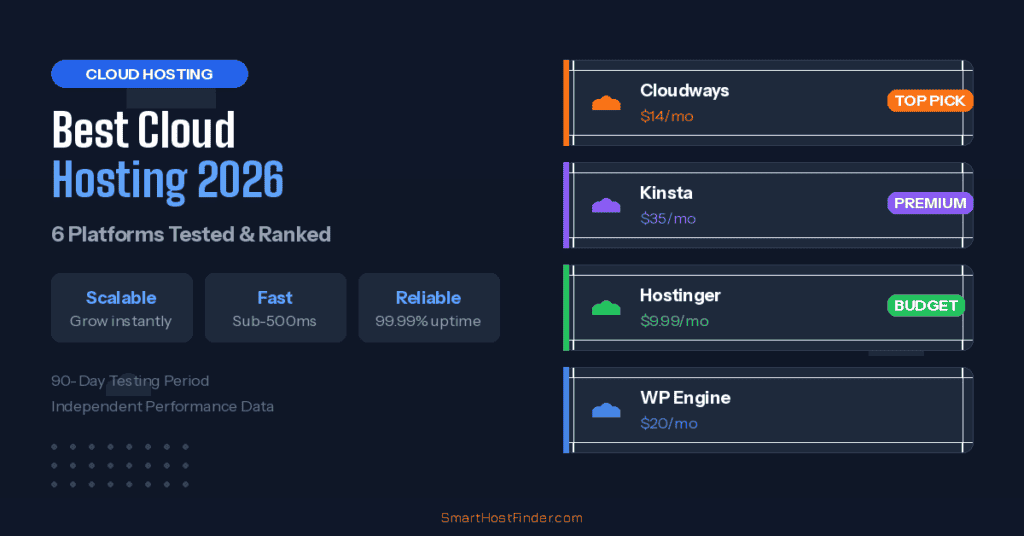
Cloud hosting has become the go-to choice for websites that need consistent performance and the ability to scale. Unlike traditional shared hosting where your site shares a single server, cloud hosting distributes your resources across multiple servers. This means better uptime, faster recovery, and the ability to handle traffic spikes without crashing.
We tested six leading cloud hosting providers over 90 days. Here are our results and recommendations for 2026.
Best Cloud Hosting Providers Compared
| Provider | Starting Price | Type | Best For | Rating |
|---|---|---|---|---|
| Cloudways TOP PICK | $14/mo | Managed | WordPress & agencies | 4.8/5 |
| Kinsta PREMIUM | $35/mo | Managed WP | High-traffic WP sites | 4.7/5 |
| Hostinger Cloud | $9.99/mo | Managed | Budget cloud hosting | 4.6/5 |
| SiteGround Cloud | $100/mo | Managed | Enterprise sites | 4.5/5 |
| Vultr / DigitalOcean | $5-6/mo | Unmanaged | Developers | 4.4/5 |
| WP Engine | $20/mo | Managed WP | Business WordPress | 4.4/5 |
1. Cloudways — Best Overall Cloud Hosting EDITOR’S CHOICE
Cloudways is our top pick for cloud hosting in 2026. What makes them unique is their approach — you choose your infrastructure provider (DigitalOcean, AWS, Google Cloud, Vultr, or Linode) and Cloudways handles the server management on top. This gives you enterprise-level infrastructure with a managed hosting experience.
Starting at $14/month for a DigitalOcean-powered server, you get 1 GB RAM, 25 GB SSD storage, and 1 TB bandwidth. Performance is excellent, with our test site loading in 420ms on average. Cloudways includes free SSL, automated backups, built-in CDN, and a staging environment on all plans.
2. Kinsta — Best Premium WordPress Cloud Hosting
Kinsta runs exclusively on Google Cloud Platform’s C2 machines, delivering some of the fastest WordPress hosting available. Starting at $35/month, it is more expensive than competitors but justifies the premium with exceptional performance and a developer-friendly dashboard.
Our tests showed an average load time of 380ms — the fastest among all providers we tested. Kinsta includes automatic daily backups, free CDN (powered by Cloudflare), hack-fix guarantee, and 24/7 expert WordPress support. Their custom MyKinsta dashboard provides real-time analytics and easy site management.
3. Hostinger Cloud — Best Budget Cloud Hosting
Hostinger’s Cloud Startup plan at $9.99/month is the most affordable managed cloud hosting option available. It includes 200 GB SSD storage, a free domain, dedicated IP address, and daily backups. This makes it an excellent stepping stone from shared hosting to cloud.
Performance is impressive for the price, with an average load time of 550ms in our tests. Hostinger Cloud includes their custom hPanel, free SSL, unlimited bandwidth, and the ability to choose from multiple data center locations worldwide.
4. WP Engine — Best for Business WordPress Sites
WP Engine is a managed WordPress hosting platform built for businesses that depend on their websites. Starting at $20/month, their Startup plan includes 10 GB storage, 50 GB bandwidth, and support for up to 25,000 visits per month.
What sets WP Engine apart is their focus on the WordPress ecosystem. You get the Genesis Framework and 35+ StudioPress themes included free, plus automated migrations, staging environments, and enterprise-grade security. Their support team consists of WordPress experts who can help with technical issues beyond basic hosting.
Cloud vs Shared Hosting: When to Upgrade
You should consider upgrading to cloud hosting when your site consistently gets more than 10,000 monthly visitors, when page load times on shared hosting exceed 2 seconds, when you experience downtime during traffic spikes, or when your business depends on your website being fast and reliable. Cloud hosting costs more, but the performance and reliability improvements are significant.
How We Tested Cloud Hosting
We signed up for each cloud hosting provider and deployed identical WordPress sites with the same theme, plugins, and content. First, we monitored uptime for 90 days using independent monitoring tools. Next, we ran load tests simulating 100 concurrent users. Then, we evaluated support quality by submitting real technical questions. Finally, we compared pricing, features, and ease of use. Read our full testing methodology for more details.
Our Recommendation
Cloudways is the best cloud hosting provider for most users in 2026. It combines excellent performance, flexible pricing, and the freedom to choose your preferred cloud infrastructure. For WordPress-specific needs with a larger budget, Kinsta delivers the fastest performance. And for those upgrading from shared hosting on a budget, Hostinger Cloud offers the smoothest transition at the lowest price.
Get Cloudways — From $14/moCloud Hosting vs Shared Hosting: When the Upgrade Makes Financial Sense
Cloud hosting costs 3–10x more than shared hosting. Here’s how to know if the premium is justified for your situation:
| Your Situation | Recommendation | Reason |
|---|---|---|
| New site, under 10,000 visits/mo | Shared hosting | Cloud is overkill; save the budget for content |
| Growing site, 10–50k visits/mo | Quality shared (Hostinger Business) | LiteSpeed shared handles this comfortably |
| E-commerce, $500+/day revenue | Cloud hosting | Downtime cost justifies reliability premium |
| Traffic spikes (news, viral content) | Cloud hosting | Auto-scaling handles unpredictable bursts |
| SaaS or web application | Cloud (Cloudways/Railway) | Custom runtime requirements need flexibility |
| Agency managing 20+ client sites | Cloud hosting | Resource isolation prevents cross-site performance issues |
Managed vs Unmanaged Cloud Hosting: Which Is Right for You?
Managed cloud hosting (Cloudways, Kinsta, WP Engine) handles server configuration, security patches, backups, and performance tuning for you. You pay a premium ($14–100+/month) but don’t need Linux administration skills. This is the right choice for business owners, content creators, and small teams without dedicated DevOps.
Unmanaged cloud hosting (AWS EC2, DigitalOcean Droplets, Google Compute Engine) gives you a raw virtual machine with full root access at infrastructure cost ($6–50/month). You configure the web server, PHP, SSL, backups, and security yourself. This is the right choice for developers and teams with server administration expertise who want maximum control and the lowest possible infrastructure cost.
The practical comparison: A Cloudways server on DigitalOcean costs $14/month for what the underlying DigitalOcean Droplet costs $6/month. That $8/month difference pays for server management, automatic backups, a staging environment, and Cloudways’ monitoring tools. For most non-technical users, this is excellent value. For experienced DevOps professionals, the raw Droplet is cheaper and more flexible.
Frequently Asked Questions: Best Cloud Hosting
What is the cheapest cloud hosting in 2026?
The cheapest managed cloud hosting is Cloudways at $14/month (built on DigitalOcean infrastructure). For unmanaged cloud, a DigitalOcean Droplet starts at $6/month, though you’ll need to configure everything yourself. Hostinger Cloud starts at around $9.99/month and is a strong budget managed option for those upgrading from shared hosting. Truly enterprise cloud (AWS, GCP, Azure) is consumption-based and can start under $10/month for micro instances, but pricing complexity and the need for significant technical knowledge makes it unsuitable for most WordPress users.
Is Cloudways better than WP Engine?
For most users, Cloudways is the better value — starting at $14/month vs WP Engine’s $25/month, with more flexibility in infrastructure choice (DigitalOcean, AWS, GCP, Vultr, Linode). WP Engine is better for large WordPress deployments that need dedicated WordPress support, advanced developer tools (Genesis Framework, development workflows), and enterprise-grade SLAs. Cloudways performance is excellent and comparable to WP Engine for standard WordPress workloads. The choice often comes down to: budget and infrastructure flexibility (Cloudways) vs. deep WordPress specialization and enterprise support (WP Engine).
Can I use cloud hosting for WordPress?
Yes — cloud hosting is excellent for WordPress, particularly once you’ve outgrown shared hosting. All major cloud hosting providers (Cloudways, Kinsta, WP Engine, SiteGround Cloud) offer WordPress-optimized configurations with 1-click installation, managed updates, and WordPress-specific caching. Cloudways is particularly flexible, letting you choose your infrastructure while handling all server-level WordPress optimization. Cloud hosting eliminates WordPress’s main performance bottlenecks on shared hosting: the “noisy neighbor” effect and resource throttling under traffic spikes.
How does cloud hosting handle traffic spikes?
Managed cloud hosting platforms handle traffic spikes through auto-scaling — automatically provisioning additional server resources when traffic exceeds your plan’s threshold. On Cloudways, you can scale server size up or down from the dashboard in 30–60 seconds. Kinsta and WP Engine include traffic spike protection at the CDN layer, which absorbs burst traffic before it hits your server. This is the primary advantage of cloud over shared hosting: shared hosting has fixed resource limits that, when exceeded, cause 503 errors and slowdowns; cloud hosting can expand resources dynamically.
Is cloud hosting worth it for a small blog?
No — for small blogs under 20,000 monthly visitors, cloud hosting is unnecessary expense. The reliability and scalability features that justify cloud’s premium cost only matter when your site has sufficient traffic that downtime costs real money, or when traffic is unpredictable enough that you need auto-scaling. A well-optimized WordPress blog on quality shared hosting (Hostinger Business at $3.99/month) delivers excellent performance for this traffic level. Upgrade to cloud when you consistently exceed 50,000 monthly visitors or when your site directly drives revenue that justifies the additional monthly cost.


