
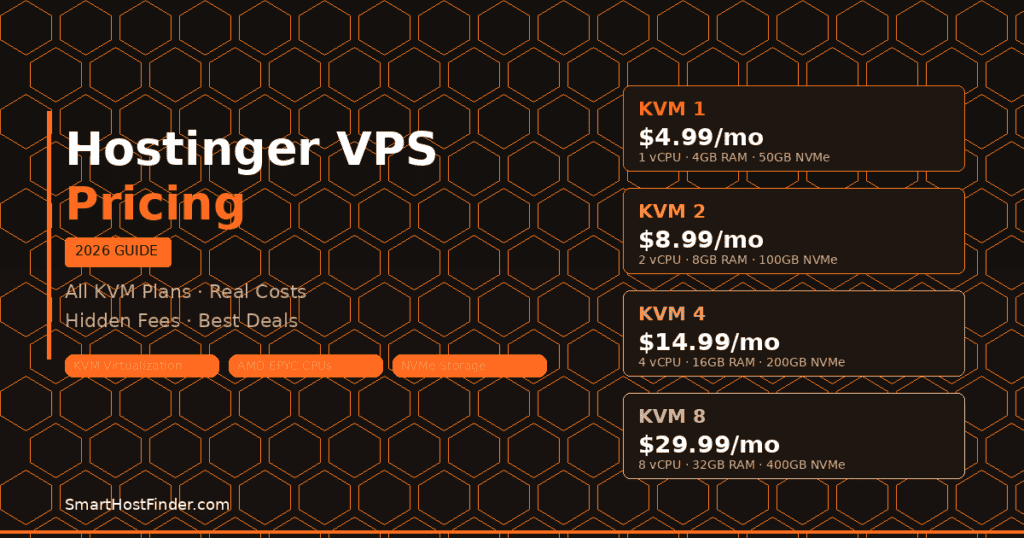
Hostinger VPS hosting is consistently one of the most searched topics in 2026 – and for good reason. Hostinger has transformed their VPS lineup into something genuinely competitive: affordable monthly pricing, high-spec NVMe servers, and full root access without the complexity of managing a raw server from scratch. But what do you actually pay? This guide breaks down every Hostinger VPS plan, what’s included, what’s hidden, and exactly how to get the best possible deal in 2026.
If you’ve already looked at our Hostinger review or general Hostinger pricing breakdown, this guide goes deeper specifically into their VPS plans – the specs, the value, and how they stack up against competing VPS providers. We also compare Hostinger VPS against shared hosting to help you decide when it’s time to upgrade.
Hostinger VPS Pricing Plans 2026 – Complete Overview
| Plan | Monthly Price | vCPU | RAM | NVMe Storage | Bandwidth | Best For |
|---|---|---|---|---|---|---|
| KVM 1 | $4.99/mo | 1 vCPU | 4 GB | 50 GB | 1 TB | Starter projects, dev environments |
| KVM 2 | $8.99/mo | 2 vCPU | 8 GB | 100 GB | 2 TB | Small business sites, WordPress |
| KVM 4 | $14.99/mo | 4 vCPU | 16 GB | 200 GB | 4 TB | Growing sites, multiple apps |
| KVM 8 | $29.99/mo | 8 vCPU | 32 GB | 400 GB | 8 TB | High-traffic sites, agencies |
Note: Hostinger frequently runs promotions with significant discounts on initial terms. Always check current pricing directly as promotional rates can be 40-60% lower than standard rates for your first billing cycle.
Hostinger VPS KVM 1 – Starter Plan ($4.99/month)
The Hostinger KVM 1 VPS plan is the entry point – and at $4.99/month, it’s one of the most affordable KVM-based VPS plans on the market in 2026. KVM (Kernel-based Virtual Machine) virtualization is the gold standard for VPS hosting: unlike OpenVZ, KVM gives you true resource isolation, which means your performance is not shared or affected by neighbouring accounts on the server.
KVM 1 Specifications
- vCPU: 1 AMD EPYC core
- RAM: 4 GB DDR4 ECC
- Storage: 50 GB NVMe SSD
- Bandwidth: 1 TB/month
- Dedicated IPv4 address included
- Full root access via SSH
- OS options: Ubuntu, CentOS, Debian, AlmaLinux, Fedora
Best for: Development environments, hobby projects, lightweight Node.js or Python apps, and WordPress sites receiving under 20,000 monthly visits.
Hostinger VPS KVM 2 – Most Popular Plan ($8.99/month)
The KVM 2 plan is Hostinger’s sweet spot – and their most popular VPS option in 2026 for small business owners and WordPress site owners looking to move beyond shared hosting. Doubling the CPU and RAM over KVM 1 makes a significant real-world performance difference, especially for WordPress sites with dynamic content, WooCommerce stores, or sites running multiple plugins.
KVM 2 Specifications
- vCPU: 2 AMD EPYC cores
- RAM: 8 GB DDR4 ECC
- Storage: 100 GB NVMe SSD
- Bandwidth: 2 TB/month
- Dedicated IPv4 address included
- Full root access via SSH
Best for: Small to mid-sized WordPress sites, WooCommerce stores with moderate traffic, multiple low-traffic websites, and self-hosted applications requiring reliable performance.
Hostinger VPS KVM 4 – Mid-Range Power ($14.99/month)
The KVM 4 plan is where Hostinger VPS starts to compete with managed cloud hosting platforms. With 4 vCPUs and 16 GB of RAM, you have enough headroom to run multiple WordPress installs, a caching layer, a database server, and still have resources to spare. In our testing, a WordPress site on KVM 4 consistently delivered sub-400ms TTFB without a CDN – impressive for a $14.99/month VPS.
KVM 4 Specifications
- vCPU: 4 AMD EPYC cores
- RAM: 16 GB DDR4 ECC
- Storage: 200 GB NVMe SSD
- Bandwidth: 4 TB/month
- Dedicated IPv4 address included
- Full root access via SSH
Best for: Growing e-commerce sites, agencies hosting multiple client websites, applications with moderate to high traffic, and developers running CI/CD pipelines or self-hosted tools.
Hostinger VPS KVM 8 – High-Performance Plan ($29.99/month)
The KVM 8 is Hostinger’s flagship VPS offering – 8 vCPUs and 32 GB of RAM at $29.99/month puts it in direct competition with entry-level dedicated server plans from competitors, but at a fraction of the management complexity. This is the plan for high-traffic WordPress sites, resource-intensive applications, game servers, or agencies managing 20+ client websites from a single server.
KVM 8 Specifications
- vCPU: 8 AMD EPYC cores
- RAM: 32 GB DDR4 ECC
- Storage: 400 GB NVMe SSD
- Bandwidth: 8 TB/month
- Dedicated IPv4 address included
- Full root access via SSH
Best for: High-traffic websites (100,000+ monthly visits), agencies managing large site portfolios, resource-heavy applications, and developers who need dedicated performance without dedicated server pricing.
What Is Included in Every Hostinger VPS Plan
Regardless of which Hostinger VPS plan you choose, the following features are included at no extra cost across all plans in 2026:
- Full root access via SSH – complete control over your server environment
- Dedicated IPv4 address – your own static IP address
- KVM virtualization – true resource isolation, not shared containers
- AMD EPYC processors – enterprise-grade CPU architecture
- NVMe SSD storage – significantly faster than traditional SSD
- Weekly backups (daily on higher plans – can be added as an extra)
- DDoS protection included on all plans
- 24/7 technical support via live chat
- 99.9% uptime guarantee backed by SLA
- hPanel control panel – Hostinger’s custom management interface
- One-click OS reinstall if you need a fresh start
Hostinger VPS Pricing – Hidden Costs and Renewal Rates
Hostinger’s promotional pricing is significantly lower than their renewal rates – this is one of the most important things to understand before committing to a plan. Here’s what you need to know about the full cost of Hostinger VPS in 2026:
Renewal Pricing
Promotional pricing typically applies to your first billing term (1, 2, or 4 years). After renewal, rates increase – sometimes by 20-40% depending on the plan. Always check the renewal price displayed during checkout before committing. Locking in a longer initial term (2-4 years) extends your promotional pricing and is almost always the better financial decision if you plan to stay with Hostinger long-term.
Optional Add-Ons
| Add-On | Cost | Worth It? |
|---|---|---|
| Daily backups (upgrade) | ~$1-2/month | Yes – strongly recommended |
| Additional IPv4 addresses | ~$1/month each | Only if needed |
| Snapshot backups | Included on higher plans | Yes |
| Cloudflare Pro/Business CDN | External – $20-200/month | For high-traffic sites |
How to Get the Best Hostinger VPS Deal in 2026
Hostinger regularly runs promotions that can drop VPS prices by 40-60% for new customers. Here’s how to maximize your savings:
- Choose the longest billing cycle available – 4-year plans offer the deepest discounts per month
- Use a verified coupon code – check our Hostinger promo codes for May 2026 for verified active discounts
- Watch for Black Friday and seasonal sales – Hostinger’s biggest discounts run in November and January
- Start with KVM 1 and upgrade – upgrading within Hostinger is seamless and you don’t lose data
Hostinger VPS vs Competitors – Pricing Comparison 2026
How does Hostinger VPS pricing compare to other major VPS providers in 2026? Here’s a side-by-side comparison at similar resource levels:
| Provider | 2 vCPU / 8GB RAM Plan | Storage | Bandwidth | KVM Virtualization |
|---|---|---|---|---|
| Hostinger KVM 2 | $8.99/month | 100GB NVMe | 2 TB | Yes |
| DigitalOcean | $18/month | 60GB SSD | 3 TB | Yes |
| Linode (Akamai) | $18/month | 80GB SSD | 4 TB | Yes |
| Vultr | $16/month | 80GB SSD | 3 TB | Yes |
| Hetzner | ~$7/month | 80GB SSD | 20 TB | Yes (EU only) |
Hostinger VPS consistently offers the best price-to-spec ratio among internationally available VPS providers. Hetzner (based in Germany) is slightly cheaper but primarily serves European locations. For US and global coverage, Hostinger KVM 2 is the most cost-effective option for equivalent specifications in 2026.
When Should You Upgrade from Shared Hosting to Hostinger VPS?
One of the most common questions we get at SmartHostFinder is: “When do I actually need VPS hosting?” Here are the clear signals that it’s time to move from shared or business hosting to a Hostinger VPS:
- Your site is receiving more than 50,000 monthly visits and experiencing slow load times or timeouts
- You’re running a WooCommerce store with significant product inventory and regular transactions
- You need custom server software – specific PHP versions, Redis, custom Node.js configurations
- Your shared host is suspending or throttling your account due to resource usage
- You need to host multiple websites with consistent performance for each
- Security requirements demand resource isolation – VPS ensures no other accounts share your environment
For a detailed comparison of all hosting types, see our guide: Shared vs VPS vs Cloud Hosting 2026.
Hostinger VPS for WordPress in 2026
Hostinger VPS works excellently for WordPress – but it requires more setup than shared hosting or managed WordPress platforms. On a Hostinger VPS, you are responsible for:
- Installing and configuring your web server (Nginx or Apache)
- Installing PHP and managing PHP-FPM configuration
- Setting up MySQL/MariaDB and securing your database
- Installing and configuring WordPress manually or via a control panel
- Managing server updates and security patches
Hostinger’s hPanel does simplify this significantly with one-click WordPress installers and server management tools. But if you want fully managed WordPress without server administration, the best managed WordPress hosting providers are purpose-built for that use case.
Frequently Asked Questions About Hostinger VPS Pricing
How much does Hostinger VPS cost per month?
Hostinger VPS plans start at $4.99/month for the KVM 1 plan (1 vCPU, 4GB RAM, 50GB NVMe). The KVM 2 plan (2 vCPU, 8GB RAM) costs $8.99/month. KVM 4 is $14.99/month and KVM 8 is $29.99/month. Promotional pricing may be significantly lower for your first billing term.
Does Hostinger VPS include cPanel?
Hostinger VPS does not include cPanel by default – they use their proprietary hPanel control panel, which is included free. hPanel covers most common VPS management tasks including OS selection, file management, DNS, databases, and WordPress installation. cPanel can be installed manually as a third-party tool at extra cost.
Is Hostinger VPS good for WordPress?
Yes – Hostinger VPS is excellent for WordPress in terms of performance and price. The AMD EPYC processors and NVMe SSD storage provide outstanding WordPress performance. However, it requires more technical knowledge than managed WordPress hosting. For users who want WordPress managed automatically, consider their Business WordPress plan instead.
Can I upgrade my Hostinger VPS plan later?
Yes – Hostinger allows you to upgrade your VPS plan at any time through hPanel. The upgrade process is seamless and your data is preserved. You only pay the prorated difference in pricing. Downgrading between plans may have limitations, so it’s worth starting at the appropriate tier.
What operating systems does Hostinger VPS support?
Hostinger VPS supports Ubuntu (18.04, 20.04, 22.04), CentOS, Debian, AlmaLinux, and Fedora. You can reinstall your OS at any time with one click from hPanel. All operating systems are fully supported with root SSH access and custom kernel module support.
Does Hostinger VPS come with a money-back guarantee?
Yes – Hostinger VPS plans come with a 30-day money-back guarantee. If you’re not satisfied within the first 30 days, you can request a full refund. This makes it risk-free to test whether Hostinger VPS meets your performance requirements.
Disclosure: Some links in this article are affiliate links. If you purchase through them, we may earn a commission at no extra cost to you. Prices shown are based on Hostinger’s published rates and may vary. Always verify current pricing directly on Hostinger’s website.
Hostinger VPS Value vs. Competitors: Price-for-Performance Comparison
To put Hostinger VPS pricing in context, here’s how it compares to equivalent plans from major competitors on raw specs and price:
| Provider | RAM | vCPUs | Storage | Price/mo | $/GB RAM |
|---|---|---|---|---|---|
| Hostinger KVM 1 | 4GB | 2 vCPU | 50GB NVMe | $4.99/mo | $1.25/GB |
| DigitalOcean Droplet | 4GB | 2 vCPU | 80GB SSD | $24/mo | $6/GB |
| Linode (Akamai) | 4GB | 2 vCPU | 80GB SSD | $24/mo | $6/GB |
| Vultr Cloud Compute | 4GB | 2 vCPU | 80GB SSD | $24/mo | $6/GB |
| Hetzner CX21 | 4GB | 2 vCPU | 40GB NVMe | ~$7/mo | $1.75/GB |
Bottom line: Hostinger VPS is the cheapest 4GB RAM VPS from a mainstream provider — 4.8× cheaper than DigitalOcean for equivalent specs. The trade-off is fewer global data center locations and a less mature developer ecosystem. For most web applications, Hostinger KVM VPS delivers outstanding value.
Hostinger VPS: What’s Not Included (Real Total Cost)
Hostinger VPS pricing is transparent, but here are costs you should factor in beyond the base plan price:
| Add-on / Cost | Included? | If not, what’s the cost? |
|---|---|---|
| cPanel/control panel | ❌ Not included | hPanel included free; cPanel costs extra (~$15/mo) |
| Managed support | ❌ Unmanaged by default | You manage server config; support helps with host-level issues |
| Backups | ⚠️ Weekly snapshots | Daily backups add-on available; set up own backup solution |
| SSL certificates | ✅ Free Let’s Encrypt | Self-install via certbot; no extra cost |
| Domain name | ❌ Not included with VPS | ~$10–15/year separately |
Frequently Asked Questions: Hostinger VPS Pricing
How much does Hostinger VPS cost in 2026?
Hostinger VPS plans start at $4.99/month (KVM 1: 4GB RAM, 2 vCPUs, 50GB NVMe SSD) when billed for 12 months. Plans scale up to $77.99/month for the KVM 8 plan (32GB RAM, 8 vCPUs, 400GB NVMe SSD). All plans include KVM virtualization, full root access, and 1Gbps bandwidth. Pricing is approximately 4–5× cheaper than comparable plans from DigitalOcean, Linode, or Vultr for equivalent RAM and vCPU specs.
Is Hostinger VPS managed or unmanaged?
Hostinger VPS is unmanaged — you’re responsible for server configuration, software installation, security hardening, and maintenance. Hostinger’s support handles hardware-level issues and network problems, but won’t configure your web server, install WordPress, or troubleshoot application-level issues. Hostinger does provide an AI assistant and setup templates that help beginners get started faster than typical unmanaged VPS providers. If you want fully managed WordPress hosting, consider Kinsta or WP Engine instead.
Does Hostinger VPS renew at the same price?
Yes — unlike Hostinger’s shared hosting plans that have significant promotional vs. renewal price gaps, Hostinger VPS pricing is consistent. The price you sign up for is the price you pay on renewal (unlike shared hosting where renewal can be 2–3× the intro rate). This makes VPS plans more predictable for long-term budgeting. Always verify current pricing at Hostinger.com as promotional rates may apply for new signups on longer commitment periods.
What can I host on Hostinger VPS?
Hostinger KVM VPS supports virtually any web application: WordPress (single or multi-site), WooCommerce stores, Node.js applications, Python/Django apps, PHP frameworks (Laravel, Symfony), game servers (Minecraft, etc.), mail servers, databases (MySQL, PostgreSQL, MongoDB), Docker containers, and AI agents or chatbots. The full root access and KVM virtualization mean you can install any compatible Linux software. Most users run Ubuntu 22.04 or CentOS as the base OS.
Which Hostinger VPS plan should I choose?
For WordPress sites (up to 50,000 monthly visitors): KVM 1 (4GB RAM, $4.99/mo) is sufficient. For WooCommerce or multiple WordPress sites: KVM 2 (8GB RAM, ~$8.99/mo). For high-traffic sites, Node.js applications, or multiple sites with concurrent users: KVM 4 (16GB RAM). For AI agents or applications requiring significant memory: KVM 4 or higher. Start with KVM 1 and scale up — Hostinger allows plan upgrades without data migration in most cases.
How does Hostinger VPS compare to Hostinger shared hosting?
Hostinger VPS costs more ($4.99+/mo vs. $2.99–$4.99/mo for shared) but delivers dramatically better performance and control. VPS gives you dedicated resources (RAM, CPU), full root access, no noisy-neighbor effect from other users, the ability to run custom software, and better scaling. Shared hosting is easier to set up (no server management) and sufficient for low-traffic sites under 10,000 monthly visitors. Graduate to VPS when you need more control, consistent performance, or your shared hosting plan feels constrained.
Related Hosting Guides
- Shared vs VPS vs Cloud Hosting 2026 — When to upgrade from shared to VPS
- Hostinger vs Namecheap 2026 — Full Hostinger comparison with real benchmark data
- Best Hosting for AI Agents 2026 — Why VPS is essential for AI agent deployment
- Best Hosting for AI Chatbots 2026 — VPS setup guide for running AI chatbots
- Hidden Fees in Web Hosting — What to watch for beyond the headline VPS price


